Monitoring
Keywords and competitors
How keywords work, how competitors share them, and how to avoid unrelated posts.
A keyword is a name Heardex searches for: your product's name, a variation of it, or a competitor's name. One keyword tracks one name.
How many you get
| Plan | Keywords | Products | Competitors per product |
|---|---|---|---|
| Free | 1 | 1 | None |
| Starter | 1 | 1 | None |
| Pro | 3 | 3 | Up to 2 |
| Scale | 30 | 10 | Up to 5 |
Competitors share your keywords: a competitor's name is one keyword, and their mentions count toward the same monthly allowance. A product needs at least one keyword of its own.
Where to change them
Open Settings → Products and choose Keywords next to a product. Your product's name is always searched; add the other names people use, and switch them on or off.
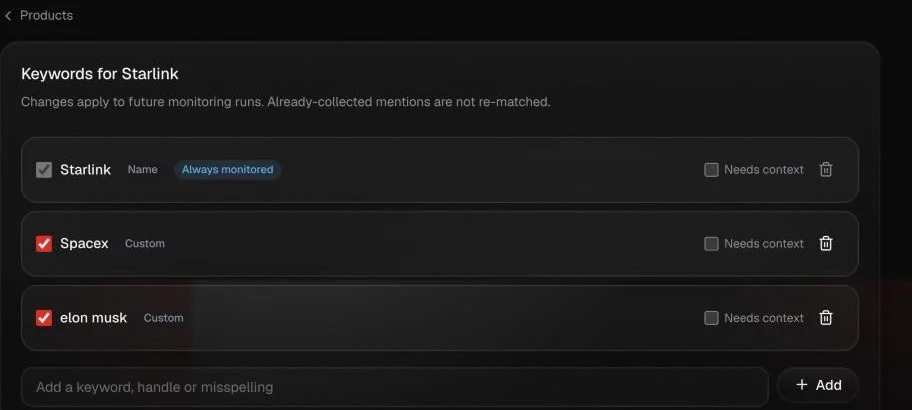
3 steps · playing
- Your product's name. Always monitored.
- Needs context. For a name that's also a common word: a post counts only when a context term appears too.
- Add a keyword. A short form, a handle or a common misspelling.
Competitors are added on the Competitors page. Each one uses a keyword from the same total, and can fetch its last 30 days when you add it.
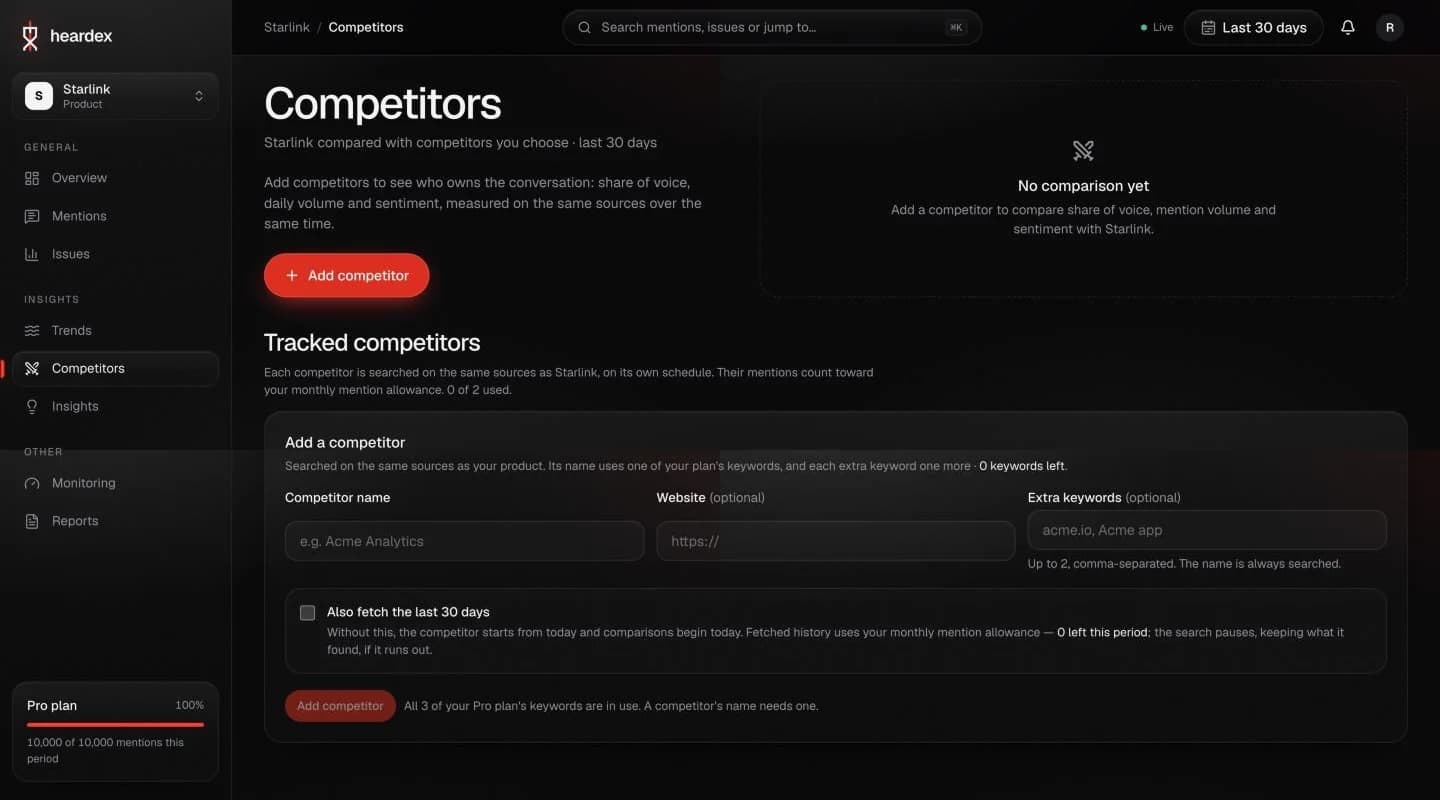
4 steps · playing
- Add competitor. Opens the form below.
- Name and website. The name is always searched; up to two extra keywords are optional.
- Also fetch the last 30 days. Without it, the comparison starts today.
- The comparison. Share of voice, volume and sentiment appear here once a competitor is added.
Choosing good keywords
- Use the names people actually type, including short forms and common misspellings.
- Heardex warns when a keyword is a common word. A product called “Notes” will match every post about notes, so add context, such as the website, or use a more specific name.
- Your website and app store links help Heardex check that a post is about your product before it counts.
Turning keywords off
A keyword you turn off keeps its mentions but isn't searched. If you're over your plan's allowance after a downgrade, the extra keywords are paused until you turn some off or change plan.